
U.S. online ticket sales are a large market, with revenue estimated at $12.5 billion in 2025, so a platform must stay accurate when thousands of buyers arrive at once. As a planning benchmark, a minimum viable product with event listings, general-admission checkout, QR tickets, and organizer payouts often falls between $34,000 and $63,000 and takes about 11 to 20 weeks. A full platform with reserved seating, ticket transfers, and mobile apps typically runs $71,000 to $130,000 over 13 to 25 weeks. Scope moves these numbers in both directions, so the sections below explain which decisions drive them.
Key Takeaways
- Organizers should buy an off-the-shelf ticketing tool when their sales follow a common pattern, and should commission a tailored build only when a distinctive workflow such as reserved seating or member-only pricing would otherwise be forced into spreadsheets or workarounds.
- A minimum viable event ticketing platform with listings, general-admission checkout, QR tickets, and organizer payouts typically costs $34,000 to $63,000 and takes 11 to 20 weeks, while a full platform with reserved seating, transfers, and mobile apps typically costs $71,000 to $130,000 and takes 13 to 25 weeks, before card processing and recurring hosting costs.
- Developers of a peak-sale ticketing platform should build inventory and checkout first, load test them with many simulated buyers competing for the same final tickets, and size hosting for the largest expected sale rather than average traffic.
- Ticket sellers in North Carolina must display the total ticket price, including mandatory fees and any maximum order-processing fee, wherever a price appears, and their platforms must keep that total from rising during checkout under North Carolina General Statute § 75-44.
Should Organizers Build or Buy a Ticketing Platform?
Organizers should buy an off-the-shelf ticketing tool when their sales follow a common pattern, and commission a tailored build only when a distinctive workflow would otherwise be forced into workarounds. Standard software handles general-admission sales with common payouts, a familiar checkout, and standard sales reports. It is usually faster to launch, and the vendor maintains the product.
A tailored build makes sense when the event’s rules are part of the product. Examples include custom pricing, such as member-only tiers that unlock after a verified purchase, a branded checkout that matches your own website, or venue-specific access control that limits which gates or time windows a ticket can enter. Reserved seating also falls into this group, because it turns inventory into individual seats that must never be sold twice.
White-label platforms offer a middle path. You get a ticketing system under your own brand with some customization, without building every feature yourself. The tradeoff is dependence. You still rely on the vendor’s roadmap, release schedule, and pricing, and a change to any of them can affect sales during a busy launch.
Before choosing, list every workflow your event needs and ask which ones a standard tool would push into spreadsheets, manual check-in lists, or emailed refunds. If the workarounds are minor, buying is usually the better choice. If they touch checkout, inventory, or entry control, the case for a custom build grows stronger.
Purchase limits deserve early attention. The Federal Trade Commission explains that the Better Online Ticket Sales (BOTS) Act applies to public events at venues with capacity above 200 and prohibits bypassing ticket-purchase limits through technological means or fake identities. Any platform you choose must enforce those limits under heavy traffic, not only on normal days.
How Much Does Event Ticketing Platform Development Cost?

Custom event ticketing platforms are generally estimated at $34,000 to $63,000 for a minimum viable product and $71,000 to $130,000 for a full platform, based on general market figures. Published estimates vary widely by scope and provider, so treat these numbers as planning benchmarks and compare written quotes against a fixed feature list.
The MVP range covers event listings, general-admission checkout, QR tickets, organizer payouts, and admin tools, and it generally takes 11 to 20 weeks. A full platform adds reserved seating, queues, transfers, multi-country tax and payments, and apps, and it typically takes 13 to 25 weeks.
Each added feature raises the cost for a different reason. Reserved seating requires seat maps and seat locking so that the same seat cannot be sold to two buyers. Queues require a waiting room that holds shoppers when demand exceeds what checkout can handle. Transfers require the system to void one ticket code and issue a new one to another buyer while keeping entry records accurate.
Multi-country tax and payments multiply the rules your checkout must follow. Native apps add separate builds for iOS and Android, each with its own testing and release process. Organizers who plan for only one city or one payment method can often delay these features until sales justify them.
Build cost is only the first expense. Card processing is a separate operating cost that scales with sales. Stripe lists its standard U.S. domestic-card rate at 2.9% plus 30 cents per successful transaction, with no setup or monthly fee on that standard plan. On a $50 ticket, that works out to $1.75 in card processing, so a 1,000-ticket sale would generate $1,750 in fees before any other costs.
Hosting, security, updates, and support are recurring costs that sit outside both the build estimate and the card fees. Add them to the budget as a monthly line item from the first day of launch.
How Do You Keep Checkout Stable During Peak Sales?
Keeping checkout stable during a peak sale comes down to three things: building inventory and checkout first, load testing them before launch, and sizing hosting for sale-day spikes instead of average traffic. A ticketing platform must run inventory, checkout, ticket delivery, payments, and event operations at the same time, and a weakness in any one of them shows up at the worst moment. Most primary-market tickets are sold online, and the Congressional Research Service notes this pattern, so a launch-hour rush is the expected case, not an edge case.
Overselling is the core inventory risk. If two buyers claim the last general-admission ticket in the same second, the system must decide which purchase succeeds and release the other cleanly, without issuing duplicate QR codes. That logic should be tested before launch with many simulated buyers competing for the same count. A few successful test orders do not prove the inventory rules hold under pressure.
A sound development sequence protects the on-sale. A common approach starts with one to two weeks of discovery to map workflows and inventory rules. Checkout and inventory come next, paired with load testing, before organizer dashboards are finished. Check-in and refunds follow in two-week sprints, so the parts buyers touch at the moment of sale are proven earliest.
Hosting has to be sized for the peak. An ordinary day may look quiet, while a popular on-sale can bring a sudden burst of buyers within minutes. Ask for capacity planned around your largest expected sale, autoscaling rules, an overflow waiting room, and written load test results before launch.
Which Integrations Does a Ticketing Platform Need?
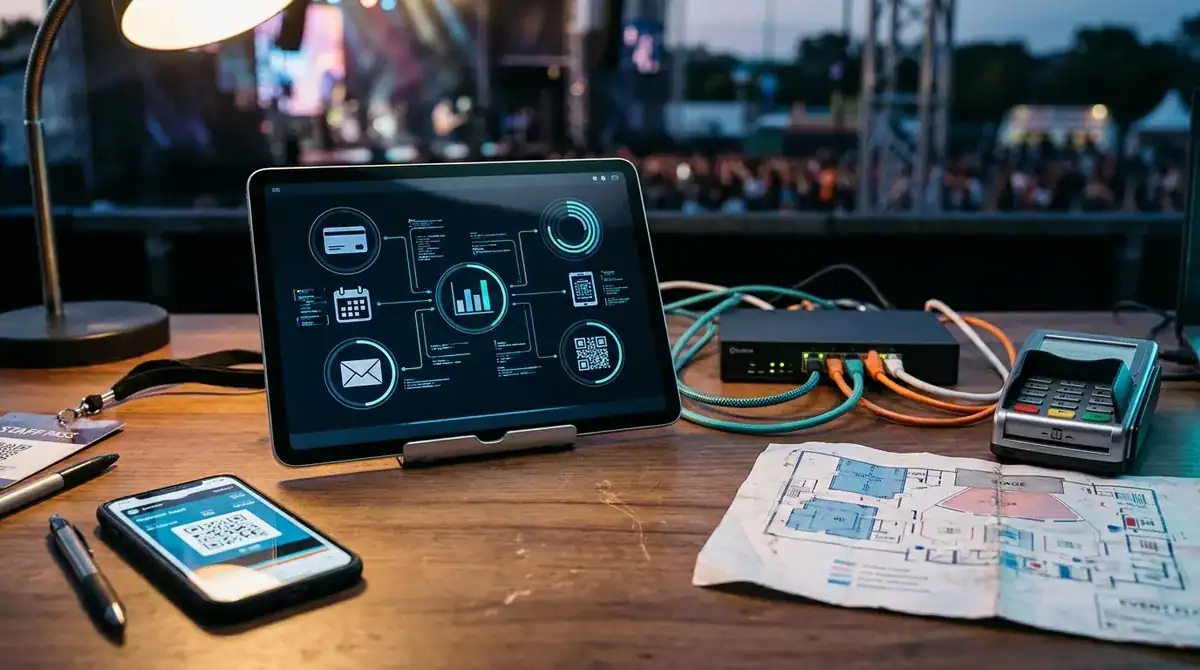
Every ticketing platform needs a payment system, a way to deliver and scan tickets, connections to accounting and email tools, and tracking that ties sales to campaigns. Each one adds build work and risk, so plan them before checkout is designed.
Payment processing comes first. Any system that stores, processes, or transmits card data must meet PCI DSS v4.0.1, the card security standard maintained by the PCI Security Standards Council. Your developer should keep card entry inside a certified payment provider’s hosted fields rather than in your own database, which narrows the scope of your compliance work.
Access control is where a ticket meets the gate. Decide early how QR codes reach buyers, which scanner app checks them at the door, and how check-in keeps working when venue Wi-Fi drops. Offline check-in means the scanner stores a copy of valid codes and syncs entries once the connection returns. Test that sync on the venue’s real network, because a scanner that works in your office may fail in a concrete-walled arena.
APIs connect the platform to the rest of your business. Most events need links to:
- accounting software, so each sale posts to the ledger with the correct tax line
- a CRM, so buyers become contacts with a purchase history
- an email tool, so confirmations and event reminders go out automatically
Each link needs documented data fields and error handling. If the email service is unavailable, the platform should queue confirmations for retry instead of dropping them, or a buyer may never receive a ticket.
Tracking closes the loop between marketing and sales. Google Tag Manager can fire conversion tags for ticket purchases, phone number taps, and form fills, which lets paid search campaigns and analytics report which ads actually sold tickets. Set up that tracking before launch so campaign data exists from the first ad click. Without it, you can spend heavily on promotion and still not know which channel filled the event.
What Fee and Tax Rules Apply in North Carolina?
North Carolina and federal rules require ticket buyers to see the full price, including mandatory fees, before they pay, so the checkout must calculate that total correctly from the first build.
The federal rule on unfair or deceptive fees took effect May 12, 2025. It requires businesses advertising live-event tickets to disclose total prices and fees upfront, so a fee that appears only at the final payment step creates a compliance problem as well as a poor buyer experience.
North Carolina adds a stricter display rule. North Carolina General Statute § 75-44 requires ticket issuers, resellers, and secondary ticket exchanges to show the total ticket price, including mandatory fees and any maximum order-processing fee, whenever a price is displayed. It also bars increasing that displayed total during the ticketing session, except for specified charges. In practice, the price on the event page, the cart, and the payment screen must match, and the platform should store the displayed total with each order.
Admission taxes follow a separate path. Under North Carolina General Statute § 105-164.4G, admission charges to taxable entertainment are taxed at the general rate, and an admission facilitator under contract must send the retailer the tax due no later than 10 days after each calendar month ends. A platform that collects admission money on an organizer’s behalf needs a monthly tax report ready before that deadline.
The rate itself must be right. The North Carolina Department of Revenue lists Guilford County’s combined state and local sales-and-use tax rate at 6.75%. Greensboro organizers should not hard-code that figure into a template and forget it. Store the tax rate by location and effective date, so a future rate change does not require rewriting checkout code.
Purchase limits belong in the same design review. The BOTS Act covers public events at venues with capacity above 200 and bars getting around purchase limits through technology or fake identities. Enforce per-buyer limits on the server rather than in the browser, and log every blocked attempt so you can show how the rule was applied.
Before launch, ask your developer to run a test order at several ticket prices and confirm that the displayed fee, tax line, and final charge match at every step. Errors caught in a test order cost far less than a refund dispute after a sold-out event.
How Should Commissions, Payouts, and Reports Work?

Organizers should decide who pays service fees and card processing before development begins, because that choice shapes checkout, payout math, and the reports the platform must produce. If buyers pay a mandatory service fee, it must appear in the total price wherever the ticket price is shown, under North Carolina General Statute § 75-44. If the organizer absorbs the fee, it stays off the buyer’s bill but comes out of every payout. Either way, the platform should store each order’s fee split so refunds reverse the correct amounts.
Payout schedules need written rules for refunds and chargebacks. Define when funds are released after an event, how a partial refund reduces the amount held, and who covers a chargeback when a buyer disputes a card charge. The organizer dashboard should show held, released, refunded, and disputed funds as separate lines, so the available balance never looks higher than what the organizer can withdraw.
Sales and attendance reports should drive budgeting and marketing decisions rather than sit in an export folder. Track tickets sold by price tier, daily sales before and after each ad campaign, and check-in counts by gate. Those numbers show whether to shift paid search spending or add a second show date.
Platform data also works best alongside the public event site. Pairing it with Google Analytics and Google Search Console shows which search queries and landing pages led to purchases, not just which pages got visits. Dig Designs includes Google Analytics, Google Search Console, and Google Tag Manager setup, plus a website audit, in its SEO plans.
How Long Does Development Take From Discovery to Launch?
Development usually follows a fixed order: one to two weeks of discovery, then checkout and inventory, then organizer tools, check-in, and refunds built in two-week sprints. Discovery settles most schedule risk. Your developer maps each workflow, the fee and tax rules covered earlier, and every integration, so later sprints do not stop to answer questions about payouts or tax lines.
Checkout and inventory come first because they carry the on-sale. They are built together and load tested before any organizer dashboard is finished, so the first major milestone is a stress test rather than a demo screen.
Each sprint should end with one deliverable that can be tested on its own. A typical order looks like this:
- Complete discovery and sign off a written list of workflows, fees, and integrations.
- Build event listings, inventory counts, and checkout, then load test them with simulated buyers competing for the same final tickets.
- Build organizer payouts and reports in the first two-week sprint.
- Build the check-in scanner, then test offline sync on the venue’s actual Wi-Fi.
- Build refunds in a two-week sprint, confirming that partial refunds reverse the stored fee split.
- Run test orders with live payment credentials and your production tax settings before setting the on-sale date.
Build the buffer into the calendar, not just the task list. If the on-sale date falls right after the last build sprint, a failed load test or payment mismatch has no time to be fixed. Sandbox values hide problems that appear only with real settings, so reserve that final test window before tickets are announced.
What Does Ongoing Maintenance Involve?

Ongoing maintenance covers the security patches, dependency updates, backups, and hosting capacity that keep a ticketing platform running after launch. Payment connectors, server software, and code libraries all release fixes on their own schedules, and each unpatched gap is a place where a sales system can fail or be breached. Someone needs to own that calendar from the first day of sales.
Daily backups matter most when something goes wrong during a sale. A recent copy of orders, inventory counts, and buyer records lets your developer restore the platform quickly instead of rebuilding order history by hand. Automated malware and vulnerability scanning should run every day too, so a problem found overnight gets fixed before the next on-sale.
Hosting capacity needs review before each major on-sale, not only after buyers complain. Compare your plan’s storage and bandwidth limits with the traffic your largest event could generate, and schedule any upgrade before tickets go live.
The public event website deserves the same care. Dig Designs builds websites on WordPress, and its Website Management plans include hosting, weekly plugin and theme updates, daily off-site backups, daily malware and vulnerability scanning, and a free SSL certificate. The $47 plan includes 10 GB of storage and 75 GB of bandwidth, while the $97 plan is built for WooCommerce and eCommerce sites. Monthly care reports summarize what was updated, scanned, and backed up, so you can confirm the work was done.
Support should cover three windows: the build, the on-sale, and the event itself. Agree in advance on who responds when checkout fails at midnight, and confirm that coverage continues through check-in on event day.
Scoping Your Ticketing Platform Brief
Before you request any quotes, write a one-page brief. List each sales workflow your event needs, such as general-admission checkout, reserved seats, or member-only pricing, and mark which ones a standard tool cannot handle without workarounds. Note your venue’s capacity, since the BOTS Act applies to public events above 200, and state where tickets will be sold so the tax treatment is clear.
Add the systems the platform must connect to, such as accounting, email, and CRM software, along with your target on-sale date. Work backward from that date, and reserve several weeks at the end for load testing and a test order on live payment settings.
Send the same brief to every developer and ask for written estimates with a line for each feature. Check that each quote separates the build cost from card processing and monthly hosting, and that the estimate covers the final test window.
Dig Designs builds conversion-focused WordPress sites for organizers and businesses in Greensboro, North Carolina. Its launch process has four steps: tell us about your business, choose a site style from the theme catalog, choose add-on services, and receive login details, which arrive within three days or less. Its Website Management plans also carry a 30-day money-back guarantee, so you can test the hosting and backup routine before committing.
If you are still deciding on a host for your event site, contact Dig Designs to turn your brief into a scoped plan.
Frequently Asked Questions
1. Can a custom ticketing platform connect to an existing WordPress event website?
Yes, a custom ticketing platform can usually connect to a WordPress event website through checkout links, embedded purchase buttons, or an API that passes event listings and inventory counts to the site. Your developer should confirm which method fits your theme and plugins before the build starts. Test that prices and availability shown on the WordPress site match the ticketing system at every step.
2. Do I need a native mobile app for ticket scanning, or is a web app enough?
A web-based scanner is often enough for smaller events because it runs in a phone browser and avoids separate iOS and Android releases. A native app is worth considering when you need stronger offline storage, faster camera scanning, or heavier daily use at busy gates. Whichever option you choose, test offline sync on the venue’s actual Wi-Fi before event day.
3. What happens to my ticket data and customer records if I change developers?
You should own your order, buyer, and inventory records, and your agreement should require a full export in a usable format such as CSV or a database dump. Ask for documentation of the data fields, integrations, and admin access so a new developer can take over without rebuilding order history. Keep regular backup copies under your own control, not only on the developer’s server.
4. Is a white-label platform cheaper than a custom build over three years?
The answer depends on your sales volume, the features you need, and how often your workflows change. White-label costs usually recur monthly or yearly, while a custom build adds an upfront cost plus ongoing hosting, security, and update work. Compare three-year totals that include card processing, add-on feature fees, and the cost of any workarounds a standard tool would require.
5. Can a web development agency handle the marketing launch for a new ticketing site?
Yes, Dig Designs, a Greensboro agency, can build the event website and manage launch marketing, including paid search on Google Ads, SEO, and social media marketing. Paid search conversions such as ticket purchases can be tracked with Google Tag Manager so ad spending can be tied to sales. Plan the on-sale date, tracking setup, and campaigns together so they are ready at the same time.