
An LMS website development company designs and builds the learning management system, or the website around it, that lets an organization deliver, track, and manage training online. The New Jersey Department of Education describes an LMS as a centralized platform for delivering, tracking, and managing learning and resources, so your first decision is whether you need a full training platform or a simpler course site. Published market estimates put a custom LMS minimum viable product between $12,000 and $35,000, a growth-stage platform between $35,000 and $80,000, and an enterprise system between $80,000 and $200,000 or more, with timelines running from 5 to 40-plus weeks. These figures depend heavily on scope and location, since offshore teams often quote lower than US-only agencies for identical requirements.
Before you sign, write your compliance and interoperability needs into the scope document. North Carolina’s security breach notification statute, G.S. 75-65, may apply if your platform stores covered personal information, and school projects may also trigger FERPA obligations for contractors. Ask for support for LTI 1.3 so outside tools can launch inside the platform, and for xAPI if you need detailed learning-activity records. Dig Designs is a Greensboro, North Carolina agency that builds WordPress websites and runs digital marketing, so it is a web and marketing partner rather than a custom LMS software shop. The questions that follow will help you decide which kind of partner fits your project.
Key Takeaways
- A custom LMS build from a development company typically costs $12,000 to $35,000 for a minimum viable product over 5 to 10 weeks, $35,000 to $80,000 for a growth-stage platform, and $80,000 to $200,000 or more for an enterprise system, with final figures depending heavily on scope and location.
- Before signing with an LMS development partner, organizations should write SCORM, LTI 1.3, and xAPI requirements into the scope document, and should name LTI 1.3 specifically rather than asking only for generic LTI support.
- Public-sector organizations serving 50,000 or more people must meet WCAG 2.1 Level AA under the ADA Title II web-accessibility rule by April 26, 2027, so their LMS contract should require that standard for legal compliance.
- Organizations should ask an LMS development partner who owns the code, theme, course content, and learner data when the project ends, and they should get that answer in the contract along with the ability to export courses and user records in a standard format.
- Organizations choosing an LMS for a small team can pilot TalentLMS on its free plan for up to five users and 10 courses, while WordPress-based course sites can use LearnDash’s one-site bundle at $350 per year.
What a Custom LMS Build Costs and How Long It Takes
The published market estimates for custom builds come in two sets. These are general figures from vendor estimates, not a quote for Greensboro or any specific company. In the first set, a minimum viable product costs $12,000 to $35,000 and takes 5 to 10 weeks. A growth-stage LMS costs $35,000 to $80,000 over 12 to 20 weeks, and an enterprise system with SCORM, single sign-on, and white-labeling costs $80,000 to $200,000 or more over 24 to 40-plus weeks.
The second set is higher. It lists $40,000 to $70,000 over three to four months for an MVP, $120,000 to $300,000 over six to 10 months for a full platform, and $300,000 or more over 10 months or longer for a multi-tenant or enterprise system. These estimates assume a senior offshore or global mid-tier team. A US-only agency may quote more for the same scope.
Scope moves a quote between tiers. The number of user roles, such as learners, instructors, administrators, and managers, multiplies permissions and testing. Course authoring tools, reporting depth, integrations with HR or video systems, mobile access, and white-label branding each add design and engineering work and extend the schedule.
Fixed-price phases give you a defined total for each milestone, but any requirement discovered later becomes a change request, and an unusually low bid may hide thin scope. Time-and-materials billing lets you change direction as you learn, but the total is open-ended, so you carry the overrun risk unless you set weekly spending caps and review progress reports.
Ask any partner to itemize discovery, design, role and permission setup, course authoring, reporting, each integration, accessibility and security testing, data migration, launch support, and the hourly rate for changes. A lump-sum quote makes two bids impossible to compare.
Hosting, security patches, backups, and content updates continue after launch, so budget for them alongside the build. If your learning site runs on WordPress, Dig Designs’ Website Management plans start at $47 per month with 10 GB of storage and 75 GB of bandwidth, and include weekly plugin and theme updates and daily off-site backups. Hosted platforms often bill by learner count, so request those license terms in writing.
Standards and Compliance Rules to Set Before Development

Write three interoperability requirements into the scope document. SCORM covers packaged courses from older authoring tools. LTI 1.3 lets outside tools launch inside the platform. xAPI records detailed learning activity. The IEEE Standards Association lists ISO/IEC/IEEE 39274-1-1-2025 as the international xAPI standard, which specifies a JSON data model and a RESTful API for sending learning-activity data to a Learning Record Store (LRS).
1EdTech states that LTI 1.3 is the current version of Learning Tools Interoperability and that earlier versions are deprecated. Ask your partner to build to 1.3 by name, not simply to “support LTI.”
Public-sector buyers should separate two documents. The ADA Title II web-accessibility rule requires state and local governments serving 50,000 or more people to meet WCAG 2.1 Level AA by April 26, 2027. Smaller entities and special district governments have until April 26, 2028, following the April 2026 extension.
The W3C published WCAG 2.2 as a Recommendation on December 12, 2024. It extends WCAG 2.1 without deprecating or superseding it, so a contract can require 2.1 Level AA for legal compliance and add 2.2 criteria as an extra standard.
North Carolina’s breach-notification rule may apply if your platform stores covered personal information. Affected people must be notified without unreasonable delay, so the scope should name who receives vendor incident alerts and who handles notices.
School projects also fall under FERPA. Under the school-official exception, a contractor handling education records must perform an institutional function the school would otherwise perform. The school must keep direct control over how those records are used and maintained, and the contractor must limit use and redisclosure.
Make compliance tracking a feature requirement. The LMS should record certifications with issue and expiry dates, log every course completion, and produce audit-ready reports without a developer’s help. Write these as acceptance tests that the vendor must demonstrate before launch.
Questions to Put to an LMS Development Partner
Start with ownership. Ask who owns the code, theme, course content, and learner data when the project ends, and get the answer in the contract. Also ask whether you can export courses and user records in a standard format, and what happens to the site if hosting lapses.
Ask for examples of learning sites the partner has built, and for two or three references you can call. Check that those projects resemble yours in learner count, course type, and integrations, not just in visual style.
Compare support plans on storage, bandwidth, and included work. Dig Designs’ Website Management plans are $97 per month for WooCommerce or eCommerce sites, with 50 GB of storage, 500 GB of bandwidth, and 3 thirty-minute tasks, and $497 per month with 500 GB of storage, 2 TB of bandwidth, and 8 thirty-minute tasks. Each plan includes daily automated malware and vulnerability scanning, a free SSL certificate, and monthly care reports.
Ask how data is backed up, how scan results are reviewed, and how quickly the site can be restored after a failure. Then ask how the platform will handle growth in learners and courses, including how many concurrent users the hosting supports and where video files are stored.
Ask how the partner will measure enrollments. Dig Designs sets up Google Tag Manager to track conversions such as phone-number taps and form fills, so you can see which pages produce sign-ups.
Finally, write mobile and white-label needs into the brief before you choose a partner. Specify whether learners must use a mobile-friendly site or an app, and whether the platform must carry your logo and domain. WordPress sites and WordPress-based LMS plugins are a common starting point, but ask the partner which mobile and branding features the theme supports and which need custom work.
LearnDash: WordPress LMS Plugin for Course Sites

LearnDash is a WordPress LMS for building, selling, and delivering online courses from a WordPress site. Course creators organize material into lessons, topics, quizzes, and assignments, then track learner activity in reports that filter by course, user, or group. Completion metrics show who has finished each course, and the platform can award certificates.
Three features set LearnDash apart. Its Course Outline Builder uses an OpenAI API key to generate lesson titles from course details, but it does not write lesson content, quizzes, or assignments. Its WooCommerce integration can link courses or groups to products, so a purchase enrolls the customer automatically. Its group features let you enroll multiple learners, track progress at the group level, and assign group leaders, which suits cohort and corporate training. Independent course businesses and corporate training teams already running on WordPress are the best fit.
The main drawback is complexity. aThemes notes that LearnDash’s many settings can feel overwhelming to beginners, and that advanced subscription and recurring-payment workflows may require third-party plugins. aThemes also reports that LearnDash has no free version but offers a 48-hour demo that does not require a credit card. The official site currently lists a one-site bundle at $350 per year and multi-site bundles from $599 per year, and each bundle includes Give, The Events Calendar, and Kadence.
At a glance
- Best for: Independent course businesses and corporate training teams already running on WordPress
- Pricing: One-site bundle at $350 per year; multi-site bundles from $599 per year, both currently listed on the official LearnDash site
- Free Plan or Trial: No free version; 48-hour demo without a credit card
- Platforms: WordPress
- Integrations: WooCommerce
TalentLMS: User-Friendly LMS for Small and Medium Businesses
TalentLMS is a cloud-based learning management system for creating, delivering, and tracking training for employees, partners, and customers. Course authors can combine multimedia lessons, quizzes, assignments, learning paths, and custom certificates, while administrators track learner progress and completions. The platform also accepts SCORM, xAPI, and cmi5 packages, so courses built in older authoring tools can be imported.
Several features set it apart for smaller teams. Its built-in AI tool, TalentCraft, can generate courses, flashcards, summaries, and visuals, and other AI tools generate tests and translate training into more than 40 languages. White-label options add your logo, colors, themes, custom domain, and homepage, along with a custom mobile app. Learners can use native iOS and Android apps and take courses offline. For WordPress sites, the plugin displays the course catalog and can link courses to WooCommerce products so you can sell them.
TalentLMS suits onboarding and compliance training at small and medium businesses. Its free plan covers up to five users and 10 courses with no time limit and no credit card, which makes it practical for a pilot before you commit to a paid build. The WordPress and WooCommerce integration is available only on paid plans, not the free plan.
User reviews point to limits that matter for more complex programs. A Capterra reviewer said customization and reporting were somewhat limited, and another cited a limited quiz question bank and randomization options. If your program needs detailed reports or varied assessments, test those areas during the pilot.
At a glance
- Best for: Onboarding and compliance training at small and medium businesses
- Pricing: Core at $119 per month, with prices based on monthly unique users; current plans are listed on the official site
- Free Plan or Trial: Free plan for up to five users and 10 courses, with no time limit or credit card required
- Platforms: Native iOS and Android apps with offline course access
- Integrations: WordPress plugin, WooCommerce, SCORM, xAPI, and cmi5
LearnWorlds: Course Platform With a Built-In Website Builder
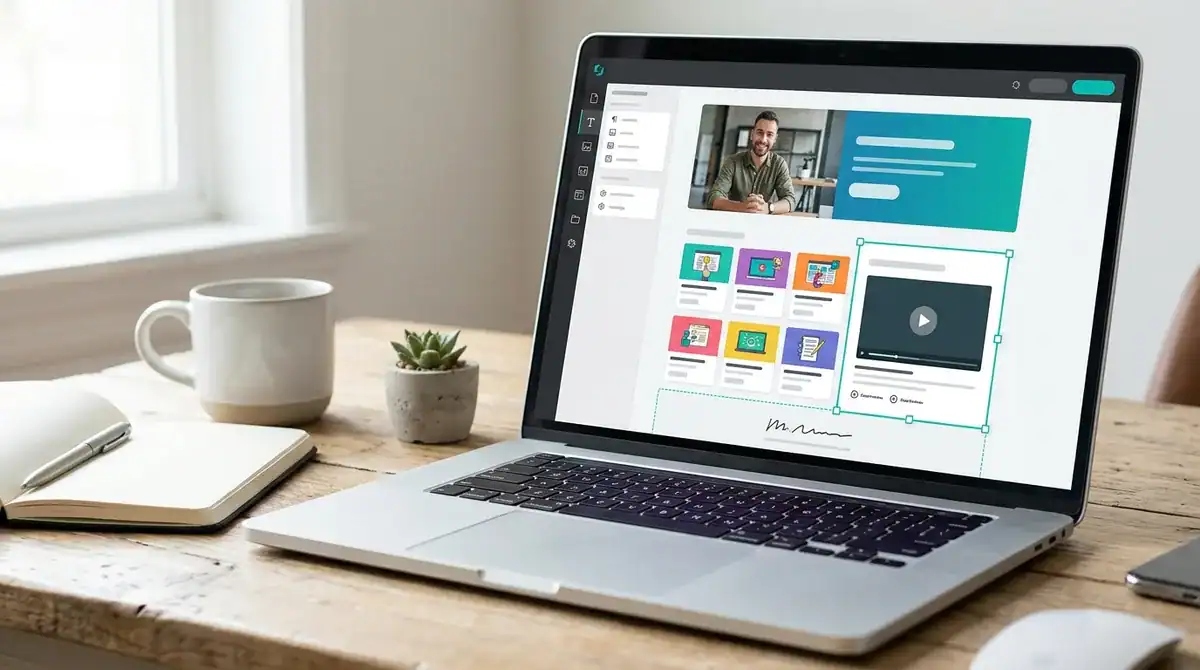
LearnWorlds is a hosted platform for building, branding, delivering, and selling online courses and training. Course creators and training teams use it for interactive lessons, assessments, learner-progress reporting, and certificates. AI tools for course building and assessments are included, along with a website builder.
Its standouts are interactive video, which can include transcripts, quizzes, and a table of contents, and white-labeling for your own branding. The WordPress single sign-on plugin connects an existing WordPress login to a LearnWorlds school, which helps if your public site already runs on WordPress. Administrators can also check certificate status and expiration and export certificate records.
The platform suits course businesses and training teams more than occasional internal courses. Its drawbacks are cost and editing time. The Starter plan adds a fee on each paid enrollment, and a 2026 independent review says the page builder can take many clicks for small edits. Branded iOS and Android apps are a separate paid add-on rather than part of Starter, so include that expense in your mobile budget. Current prices are listed on the official LearnWorlds site.
At a glance
- Best for: Course creators and training organizations selling online courses and training
- Pricing: Starter $24/mo billed annually or $29 month-to-month, plus $5 per paid enrollment; Pro Trainer $79/mo billed annually or $99 month-to-month; Learning Center $249/mo billed annually or $299 month-to-month; Corporate custom
- Free Plan or Trial: No free plan; 30-day free trial of core features
- Platforms: Branded iOS and Android apps available as a paid add-on, not included in Starter
- Integrations: More than 50 built-in, including Stripe, Mailchimp, Zoom, Microsoft Teams, and Webex
Teachable: Course Selling Platform for Independent Instructors
Teachable is a hosted platform for creating, hosting, and selling online courses, coaching, memberships, and digital downloads, so it covers the sales page and checkout as well as the lessons. Creators build courses with a drag-and-drop editor, upload video, audio, text, and files, and use AI tools to draft curricula, quizzes, and sales pages. Built-in checkout and payment tools let you sell courses without a separate commerce build.
For instructors, the platform tracks lesson progress and can require students to finish lessons in order, complete videos, or pass graded quizzes. It also supports drip content released on a schedule and completion certificates. Teachable suits independent instructors, small businesses, and some team training. If you run a WordPress site, its plugin, available on all plans, can display Teachable products and pricing on your pages and connect them to Teachable checkout.
The limits matter for corporate training. A Capterra reviewer dated January 11, 2023 reported that quizzes were limited to multiple-choice questions with one correct answer and that the platform did not support SCORM course packages. Organizations that need a traditional university-style LMS or advanced assessment workflows will likely find it less suited to their requirements.
At a glance
- Best for: Creators, small businesses, and some team training
- Pricing: Starter at $39 per month or $29 per month billed annually, Builder at $89 monthly or $69 annually, and Growth at $189 monthly
- Free Plan or Trial: 7-day free trial; no free plan
- Platforms: iOS and Android apps, including offline access
- Integrations: Mailchimp, ActiveCampaign, Google Analytics, Zoom, and Zapier, with Zapier and the API requiring the Growth plan
Moodle: Open-Source LMS for Custom Deployments

Moodle, developed by the Moodle project, is an open-source learning management system for creating and running online or blended courses. It provides tools for learning activities, assessment, and progress tracking. Teachers can set activity and course completion criteria, and learners and educators can use completion reports, grades, competencies, badges, and analytics to monitor progress. Moodle is used across education, business, nonprofit, government, and community settings, and it supports both small classes and large organizations.
Organizations choose from three hosting paths. Self-hosting gives the most control and carries no licensing fee, but the official setup guidance says it requires hardware and technical expertise. MoodleCloud offers managed hosting, with listed annual prices of $160 for Starter, $270 for Mini, $490 for Small, $1,170 for Medium, and $2,070 for Standard. Those subscriptions are billed in Australian dollars, and taxes may apply. A certified provider can build a tailored deployment.
Moodle’s strengths are its extensibility and its mobile app. Themes, plugins, and external applications allow customization, and the feature documentation lists file access from OneDrive, Dropbox, and Google Drive. The official mobile app supports offline browsing, notifications, file uploads, quizzes, forums, and grades, but a site administrator must enable mobile access first. A connection between Moodle and WordPress for single sign-on and user synchronization is available only as a third-party Marketplace plugin, not a built-in feature.
The main drawback is technical effort. MoodleCloud does not let users install their own plugins or integrations, and some Capterra reviewers find the system-administration interface complex. Custom theme work and deployment planning usually need a partner. For corporate compliance training and onboarding, Moodle Workplace is a separate licensed product built on Moodle LMS and sold through its partner network.
At a glance
- Best for: Universities, non-profits, and organizations that want control over hosting and customization
- Pricing: No licensing fee for self-hosting; MoodleCloud annual plans from $160 (Starter) to $2,070 (Standard)
- Free Plan or Trial: 28-day MoodleCloud free trial with no credit card required
- Platforms: Official Moodle mobile app
- Integrations: WordPress single sign-on through a third-party Moodle Marketplace plugin
iSpring LMS: All-Purpose Corporate Learning Platform
iSpring LMS is a learning management system for creating, assigning, delivering, and tracking training, particularly for businesses and employee-learning teams. Its course authoring includes AI-assisted drafts and quizzes, and courses can be organized into learning paths with progress reporting and trainee certification. The platform also offers gamification and 360-degree feedback.
An eLearning Industry review says iSpring LMS is designed primarily for small and midsize organizations. The same review notes that it does not support electives in curricula, so programs that let learners choose among courses need another approach. Reviewers have also reported limitations in customization, reporting, and some academic-institution needs.
Learners can use iOS and Android apps, and course content can be downloaded for offline study and synchronized when they reconnect. Integrations include Zoom, Microsoft Teams, Google Meet, Salesforce, Shopify, and Tilda, plus no-code and API-based connections. WordPress is not among the named integrations, so a WordPress-based site would need a separate connection. White-labeling lets an organization present the learning space under its own branding.
Pricing is based on users who log in at least once during the month, and the platform can be run in the cloud or installed on-premise for an additional fee. Enterprise and custom arrangements are handled through sales. A 30-day full-featured free trial is available without a credit card, and current prices are listed on the official site.
At a glance
- Best for: Small and midsize businesses and employee-learning teams
- Pricing: Billed for users who log in at least once in a month; Enterprise and custom arrangements through sales
- Free Plan or Trial: 30-day full-featured free trial without a credit card
- Platforms: iOS and Android learner apps; cloud or on-premise installation
- Integrations: Zoom, Microsoft Teams, Google Meet, Salesforce, Shopify, and Tilda
EducateMe: AI-Powered LMS for Mid-Sized Companies

EducateMe is a cloud-based, AI-enabled learning management system built mainly for employee training, including onboarding, compliance, sales, and product training. Teams can build courses from existing PDFs, links, videos, and SCORM files. The platform tracks learner progress, supports learning paths, and issues certificates when training is complete.
Its AI features go beyond drafting course content. AI roleplay and assessments let learners practice and test their knowledge, and real-time analytics show how learners are progressing. Multi-tenant spaces keep separate learning areas apart, and white-label branding lets you apply your own look. Integrations include Slack, Zoom, calendars, Zapier, a REST API, and HRIS connections, with some SSO and HRIS capabilities tied to higher plans.
EducateMe is a web platform with a mobile-responsive design rather than a dedicated app. A G2 reviewer said the mobile web version worked well on phones and tablets but wished for an app with offline access and push notifications. Another reviewer said the platform lacked gamification and described exporting scores manually to build a leaderboard. Teams whose learners need offline study or game-style motivation should weigh those gaps.
The platform suits small and midsize companies and training providers, and it is best matched to teams that already have training materials to convert. The listed Pro plan costs $239 per month for 80 users, Premium costs $399 per month for 100 users, and Scale costs $999 per month for 200 users. A 14-day free trial is offered without a credit card. Plans change often, so see the EducateMe website for current details.
At a glance
- Best for: Small and midsize companies and training providers converting existing materials into employee training
- Pricing: Pro $239/mo for 80 users; Premium $399/mo for 100 users; Scale $999/mo for 200 users
- Free Plan or Trial: 14-day free trial, no credit card required
- Platforms: Web, mobile-responsive; no dedicated app
- Integrations: Slack, Zoom, calendars, Zapier, REST API, HRIS connections
Docebo: Cloud LMS for Large Businesses
Docebo is a cloud learning platform for creating, delivering, and measuring training for employees, customers, partners, and members. Administrators group e-learning and instructor-led courses into learning plans or certifications, assign them to users or groups, and let managers track each learner’s progress. The Elevate plan adds certification and compliance tracking.
Docebo Creator can turn a document or a prompt into structured lessons and knowledge checks, add video and voiceover, and translate lessons into 46 languages. Finished lessons can publish to Docebo or export as SCORM, which helps if courses must move to another system later. Elevate also includes white-labeled design, so learners see your own branding.
The pricing page does not publish a fixed price. Cost depends on active learner usage, and e-commerce is a paid add-on. Integration counts are plan-limited: Elevate includes up to four, and Enterprise includes up to six, while embedded tools such as Salesforce or Microsoft Teams may cost extra. The Go.Learn app supports iOS 15.5 and Android 12.0 or higher, but it offers learner functions only. A G2 reviewer found implementation overwhelming for a small team because much of the setup work fell on the customer.
At a glance
- Best for: Large organizations with a substantial enterprise training scope
- Pricing: Not published; based on active learner usage, with add-ons such as e-commerce priced separately
- Free Plan or Trial: No free version or free trial listed
- Platforms: Web platform plus the Go.Learn learner app for iOS 15.5 or higher and Android 12.0 or higher
- Integrations: Up to four included in Elevate and up to six in Enterprise; some embedded integrations cost extra
Looop LMS: Learning and Development Automation by 360Learning

Looop by 360Learning is a cloud-based LMS built to automate workplace learning and development. Teams create and share mixed-media learning resources, including quizzes and video-based skills evidence, then organize them into learning pathways. Dashboards track engagement, and certificates can be issued for completed resources, events, or pathways.
Looop is positioned for business L&D departments rather than universities or public course sellers. It covers onboarding, compliance, manager, partner, sales, and customer training. Its distinguishing feature is rules-based campaigns that deliver learning through email, the mobile app, SMS, Slack, or Microsoft Teams.
On the integration side, Looop supports Google and Microsoft single sign-on, Okta, Salesforce, Google Drive, OneDrive, and SharePoint. It also accepts SCORM, xAPI, cmi5, AICC, and LinkedIn Learning content. Organizations can customize the look and feel and use their own domain.
The vendor says Looop is built for learning without AI, gamification, or microlearning, so teams that want those approaches should weigh that before choosing it. Capterra users have asked for easier pathway reordering and broader embedded-media options. Pricing is based on user bands of up to 50, up to 250, up to 500, and over 500, with a seven-day free trial after a demo.
At a glance
- Best for: Business L&D teams automating onboarding, compliance, manager, partner, sales, and customer training
- Pricing: Priced by user band (up to 50, up to 250, up to 500, over 500); prices are not published and require contacting the vendor
- Free Plan or Trial: No free plan; seven-day free trial after a demo
- Platforms: Web access, plus iOS and Android apps
- Integrations: Google and Microsoft SSO, Okta, Salesforce, Slack, Microsoft Teams, SCORM, xAPI, cmi5, AICC
Absorb LMS: Enterprise Platform for Scalable Corporate Learning
Absorb LMS is a cloud-based learning management system, so it is software for training rather than a web-development service. Organizations use it to build or provide courses, assign training, track progress, and report on learning. Administrators can create courses and tests, upload SCORM, xAPI, and AICC content, set up instructor-led sessions, and customize a learner portal. Absorb lists onboarding, employee development, compliance, customer education, partner training, and selling courses as its main use cases.
Its standouts are AI-assisted course creation, business-system integrations, and course e-commerce. Aura Create can generate a structured course from a text prompt or an uploaded document, but it requires an Absorb Create license and must be enabled by an administrator. Absorb lists integrations with ADP, Workday, Salesforce, Zoom, and Webex, and says custom integrations can be built with APIs and webhooks. Its site advertises course sales with 70 payment gateways, multiple currencies, discounts, and single or team licenses.
The limits are in reporting and mobile use. A Capterra reviewer said gathering course, quiz, and learner-performance data could mean combining several reports unless the organization buys the Analyze add-on. The Absorb Learn app on iOS and Android lets learners download eligible lessons offline, but course uploads are not supported in the app. Absorb’s pricing page does not list prices. It asks for learner count and contact details, so request a scoped quote that states whether reporting needs the Analyze add-on.
At a glance
- Best for: Large training teams running structured, automated programs for employees, partners, and customers
- Pricing: Quote-based; the pricing page requests learner count and contact details instead of listing prices
- Free Plan or Trial: Free trial available through a request form
- Platforms: iOS and Android learner app with offline lesson downloads
- Integrations: ADP, Workday, Salesforce, Zoom, and Webex, plus custom integrations through APIs and webhooks
SAP Litmos: Enterprise E-Learning for Internal and External Audiences

Litmos is a cloud-based LMS that organizations use to build, deliver, and track training for employees, customers, and partners. Its listed use cases include onboarding, compliance, customer education, and partner enablement. The SAP Litmos plans cover course authoring, learning paths, assessments, and progress reporting, along with compliance and certification workflows.
The platform suits businesses that train people both inside and outside the company, rather than universities. Its plans list branded portals and multi-tenant options, so separate audiences can have their own learning spaces under your branding. The LMS page also describes e-commerce for selling paid external training programs. AI-assisted generation of course modules, assessments, and materials is included in the plans, and integrations with Workday, ADP, BambooHR, Salesforce, Microsoft Teams, Zoom, and Okta help connect training to HR and collaboration records. APIs and webhooks support custom connections.
Learners can reach courses from current Safari, Chrome, Firefox, and Edge on desktop without installing software, and native iOS and Android apps are available for Litmos Training. Reporting is the main concern. Some Capterra reviewers reported difficulty with reporting and course organization, along with bugs and slow support responses. If your compliance audits depend on detailed reports, test those areas before you commit.
At a glance
- Best for: Organizations training employees, customers, and partners, especially those training people inside and outside the company
- Pricing: Foundation from $8,000 per year and Platinum from $15,000 per year; Platinum AI pricing is available by contacting sales. Prices change often, so see the official site for current figures.
- Free Plan or Trial: Free trial available by request; the trial page does not state a trial length
- Platforms: Browser-based with no software download; native iOS and Android apps for Litmos Training
- Integrations: Workday, ADP, BambooHR, Salesforce, Microsoft Teams, Zoom, and Okta, plus APIs and webhooks
Adobe Learning Manager: LMS for Structured Advanced Programs
Adobe Learning Manager is a cloud LMS for creating, delivering, managing, and tracking training for employees, customers, and partners. Teams can build courses and learning paths, run online or instructor-led training, track learner progress, and manage certifications. The platform separates work into author, instructor, manager, and administrator tools, and it includes attendance tracking and reporting, so each group works in the tools that match its role.
Its standouts are AI features and integrations. Put the features you need into the scope document early, because they change what your development partner must build and connect.
Adobe Learning Manager fits organizations with structured or high-volume training programs, such as certification tracks for partners or recurring employee courses across several departments. It is less suited to a simple course storefront. Some G2 reviewers report a learning curve, difficulty finding specific reports, and problems with the mobile app, though these are individual experiences rather than universal findings. Reviewers on eLearning Industry describe the course resale e-commerce tools as limited. Adobe lists an Adobe Commerce integration for selling courses, so if course sales are part of your plan, ask for a demonstration of that path before you commit.
At a glance
- Best for: Organizations with structured or enterprise-scale training programs for employees, customers, and partners
- Platforms: Cloud-based
- Integrations: Adobe Commerce, for selling courses
Tovuti: Content-Rich LMS for Distributed Training

Tovuti is a cloud-based learning management system for organizations that create and deliver employee, customer, partner, compliance, and paid-course training. Administrators build interactive courses with built-in authoring tools that create more than 40 types of interactive content, then assign learning paths and track enrollments, quizzes, and completions. Activity dashboards show registrations, course completions, learner activity, and certificates awarded or expired, so compliance managers can see who is current.
Its standout is Dizi, an AI assistant that creates quizzes and lessons and can generate complete courses in minutes. Native integrations with BambooHR, Workday, Google Workspace, and Zoom, plus Zapier and an open API, connect training records to HR and collaboration systems. Tovuti suits organizations with large, distributed training needs and businesses with a wide content library.
The main drawback is the back end. Software Advice’s review summary lists a complex back end among reported drawbacks, though these are user comments rather than a universal verdict. Staff will likely need training before they can use the authoring features fully. Learners get a native mobile app with offline access, but branded iOS and Android apps are an additional fee.
At a glance
- Best for: Organizations with large, distributed training needs and wide content libraries
- Pricing: All-inclusive plan from $7,500 per year for the first 100 annual learners, billed annually, scaling with learner numbers; current figures are on the official Tovuti site
- Free Plan or Trial: No free plan or trial; prospective customers request a quote
- Platforms: Cloud-based, with a native mobile app and offline access
- Integrations: BambooHR, Workday, Google Workspace, Zoom, Zapier, and an open API
Blackboard Learn: Institutional LMS for Universities and K–12
Blackboard Learn is a web-based learning management system for organizing courses, delivering content and assessments, and tracking learner progress. Blackboard says the platform serves higher education, K–12, government, workforce, and corporate learning, including continuing education and professional development.
Its strongest fit is the institution rather than the individual course seller. A university, school district, or large training department can run many courses and rubrics across many instructors and departments. A solo course creator who wants a simple storefront with checkout will find it heavier than needed. Because a school using Blackboard may hold student education records, FERPA obligations can extend to contractors that handle those records.
Its standouts include an AI Design Assistant that helps instructors develop course structures, assessments, and grading rubrics, plus a Content Designer for multimedia course content. Progress tracking, learner reports, and instructor insights are meant to help identify students who may need support. Badges and digital credentials come through Blackboard Milestone as a premium capability, while the core LMS includes a lifelong student portfolio. Integrations with Turnitin, VitalSource, Zoom, Microsoft Teams, and student information systems run through LTI 1.3 and REST APIs.
The main drawback is mobile use. Blackboard lists a native app, but its help documentation warns that some course content and third-party tools have partial or no support in the app. Pricing is not listed on the product page, which directs buyers to a demo, although a March 2026 brochure advertised a free 30-day trial.
At a glance
- Best for: Large educational organizations, including universities, K–12 districts, government agencies, and workforce or corporate training teams
- Pricing: Not listed on the product page; buyers are directed to request a demo
- Free Plan or Trial: Free 30-day trial advertised in March 2026
- Platforms: Web-based, with a native mobile app that has partial support for some content
- Integrations: Turnitin, VitalSource, Zoom, Microsoft Teams, and student information systems through LTI 1.3 and REST APIs
Google Classroom: Classroom Management Within Google Workspace

Google Classroom is a web-based teaching and learning platform within Google Workspace for Education. Google describes it as a tool for educators to create, manage, measure, and personalize learning. Teachers use it to organize classes, distribute and collect assignments, communicate with students, grade work, and monitor progress, with gradebook progress tracking and assignment-completion analytics included in its editions.
It is designed mainly for K–12 schools and higher-education institutions, so its strongest fit is a classroom hub. Its close ties to Google tools keep assignments, messages, and grades in one place for schools already on Google Workspace. It is not built for selling corporate courses or for detailed compliance tracking.
The tradeoff is depth. A Capterra reviewer described the gradebook as less robust and customization as limited, while noting that it works well for straightforward assignment management and student-teacher communication. Classroom add-ons can bring third-party educational content into assignments, announcements, and class materials, but only teachers with Teaching and Learning or Education Plus licenses can use them.
Pricing depends on the edition. Google lists Education Fundamentals at no charge for qualifying institutions, Education Standard at $3 per student per year, Teaching and Learning at $4 per license per month or $48 per license per year, and Education Plus at $5 per student per year. Google’s official site lists the current edition details.
At a glance
- Best for: K–12 schools and higher-education institutions with simple classroom needs
- Pricing: Education Standard $3 per student per year; Teaching and Learning $4 per license per month or $48 per license per year; Education Plus $5 per student per year
- Free Plan or Trial: Education Fundamentals at no charge for qualifying institutions
- Platforms: Web-based, within Google Workspace for Education
- Integrations: Google tools and Classroom add-ons for Teaching and Learning or Education Plus licenses
Scoping Your Learning Platform Build With Dig Designs
Start with a one-page brief that lists the number of learners and each user role, the courses and assessments you need, the standards from above (SCORM, LTI 1.3, or xAPI), the compliance rules that apply to your data, and whether learners need mobile access or your own branding. Send the same brief to every partner and ask each one to itemize its bid against it, so the quotes can be compared line by line.
Dig Designs is a Greensboro, North Carolina agency that builds WordPress websites and runs digital marketing. If your project is a WordPress course site, we can scope it as a website build. Our launch process has four steps: tell us about your business, choose a site style from the theme catalog, choose add-on services, and receive login details. Login details for the new site and digital campaign are sent within 3 days or less.
Be clear about the boundary. A custom LMS with complex assessments or deep reporting may need a software development team, and we will say so if your brief falls outside what we build. Our Website Management plans, which include daily off-site backups and weekly plugin and theme updates, come with a 30-day money-back guarantee.
To start, send your brief to Dig Designs and we will tell you which parts we can deliver.
Frequently Asked Questions
1. Can a WordPress LMS plugin run a paid course site without custom code, and where does custom work begin?
A WordPress LMS plugin such as LearnDash can sell and deliver paid courses without custom code when your needs match its built-in features, including WooCommerce product links, group enrollment, and certificates. Custom work usually begins when you need recurring-payment workflows the plugin does not cover, specialized assessments, or integrations with HR or video systems. Some of those gaps are filled with third-party plugins, so check each requirement against the plugin’s documentation before development starts.
2. How many LMS platforms should a small business compare before choosing a build partner?
Compare enough options to cover each route: a hosted platform, a WordPress-based plugin, and a custom build. Send the same written brief to every candidate and ask each one to itemize its quote against it. Adding more candidates rarely helps if the brief is vague, because each vendor will scope a different project and the quotes cannot be compared.
3. If we pick an LMS platform now, how hard is it to move course content and learner records to another platform later?
Moving course content and learner records depends on the export formats each platform supports. SCORM packages are widely used to carry courses between systems, while xAPI activity data is sent to a Learning Record Store that can exist apart from the course site. Ask each partner in writing to export courses and user records in a standard format and to explain what happens to your site if hosting lapses.
4. What should a Greensboro organization budget each year for hosting, security, and updates after launch?
Budget for hosting, security, and updates as a recurring cost that continues after the build is finished. Dig Designs’ Website Management plans start at $47 per month, with 10 GB of storage and 75 GB of bandwidth, and they include weekly plugin and theme updates and daily off-site backups. A WooCommerce or eCommerce site starts at $97 per month, and a hosted LMS may add learner-based license fees on top, so request those terms in writing.
5. How long should a pilot run before a full learning platform is committed to?
No single pilot length fits every project, so match the pilot to the trial each platform offers and to the features you must test. Trials vary widely, from a 48-hour demo to 7-, 14-, or 30-day free trials, and TalentLMS’s free plan has no time limit for up to five users and 10 courses. Use the pilot to test reporting, assessments, mobile access, and each integration your project depends on, and commit only after those checks pass.
6. Which LMS platforms work best for training that must produce audit-ready compliance reports?
Docebo’s Elevate plan adds certification and compliance tracking, and Tovuti’s activity dashboards show certificates that have been awarded or have expired, so compliance managers can see who is current. Absorb LMS reporting may require its Analyze add-on, and some SAP Litmos reviewers have reported difficulty with reporting, so those areas need close testing. Ask any vendor to demonstrate an audit-ready report using your own certification dates before you sign.