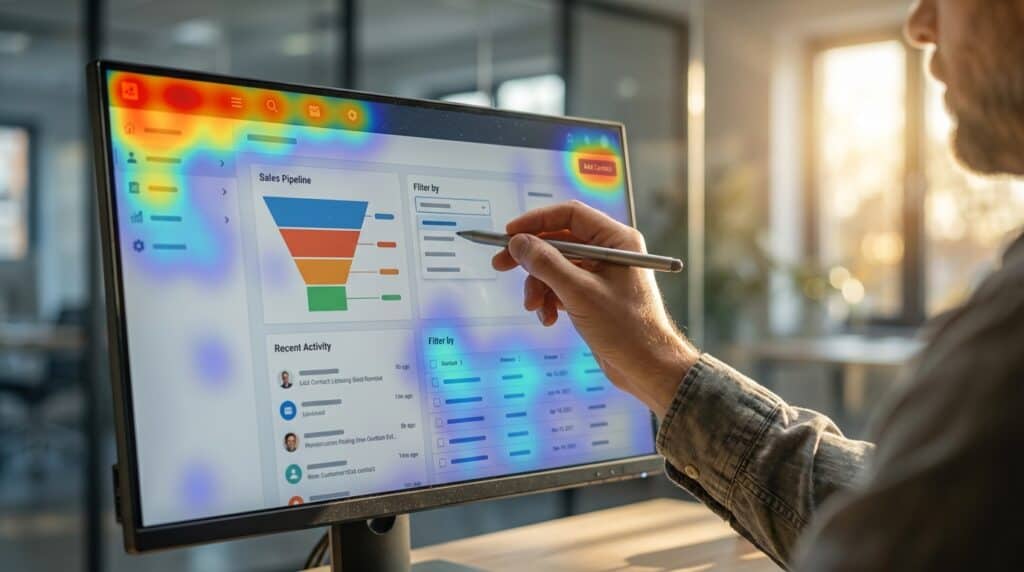
SaaS usability testing goes beyond standard functional checks to evaluate the continuous value delivery required by subscription services. Unlike one-time software purchases, cloud-based platforms must prove their worth every billing cycle to prevent churn. This process involves observing real users as they navigate your specific workflows to identify friction points that hinder long-term adoption. By focusing on how easily subscribers can achieve their goals, you ensure the product remains an indispensable part of their daily operations. This validates that your service solves problems efficiently enough to warrant an ongoing financial commitment.
The link between user experience and revenue is undeniable in an economy where switching costs are low. When users encounter confusing interfaces or complex workflows, they often cancel subscriptions in favor of a more intuitive competitor. A seamless experience directly impacts Monthly Recurring Revenue by reducing churn rates and encouraging organic expansion within accounts. Every moment of frustration acts as a leak in your revenue funnel, while intuitive design fosters the customer loyalty needed for sustainable growth. Investing in rigorous testing is not merely a design choice but a critical financial strategy for protecting your bottom line.
Key Takeaways
- SaaS usability testing serves as a critical financial strategy that protects Monthly Recurring Revenue (MRR) by reducing churn and fostering long-term loyalty.
- Streamlining onboarding workflows to eliminate friction ensures users reach their core value proposition quickly, significantly reducing early abandonment rates.
- Integrating remote unmoderated testing allows agile teams to gather continuous, bite-sized feedback on features without disrupting development sprint velocity.
- Effective optimization relies on combining quantitative metrics like Time-on-Task with System Usability Scores (SUS) to accurately measure both efficiency and user satisfaction.
Debugging Friction in SaaS Onboarding Workflows
The initial sign-up phase often acts as the most aggressive filter for potential customers in the SaaS lifecycle. To maximize conversion, product teams must scrutinize analytics funnels to pinpoint exactly where users abandon the process. A sharp drop-off at the credit card entry screen or email verification step usually signals a misalignment between perceived value and required effort. Quantitative data tells you where the problem is, but it rarely explains why the user decided to leave. Combining these metrics with session recordings allows you to watch users hesitate or rage-click on confusing interface elements. This visual context turns raw numbers into actionable insights for the design team.
Once you identify the bottlenecks, specific usability tests focused on the “Aha!” moment become essential. You need to observe if new users can achieve the core value proposition within their first five minutes of logging in. If the workflow requires too many configuration steps before showing results, users will likely lose interest and churn. Testing scenarios should challenge participants to complete a key task immediately after signing up without reading documentation. Observing their struggles helps you trim unnecessary fields and simplify the navigation structure.
Debugging friction also involves examining the psychological impact of empty states and welcome screens. A blank dashboard can be intimidating, so testing different onboarding wizards or templates is crucial for early engagement. Usability participants often reveal that they feel overwhelmed when presented with too many choices too soon. By implementing progressive disclosure, you can guide users through features only when they are relevant to their current task. Iterative testing ensures that every removed barrier brings the user closer to becoming a loyal subscriber.
Leveraging Remote Unmoderated Testing for Agile Teams

Agile development cycles often move too quickly for traditional, scheduled usability sessions that create scheduling bottlenecks. Remote unmoderated testing solves this logistical challenge by allowing users to complete tasks on their own time without a moderator present. Teams can set up specific scenarios using asynchronous tools and receive video recordings or heatmaps overnight. This flexible approach ensures that feedback loops remain tight enough to influence code before it ships to production. By decoupling the researcher from the participant, developers can validate features continuously without pausing their sprint velocity.
Integrating these tools effectively requires shifting from large-scale studies to bite-sized micro-tests that align with weekly deliverables. Product managers should focus on testing specific components or individual user flows rather than the entire application at once. Automated platforms can integrate with project management software to alert the team immediately when insights are ready for review. This seamless connection prevents user research from becoming an afterthought or a pre-launch scramble. The continuous deployment pipeline is fueled by actual user data rather than internal assumptions or guesswork.
The ability to gather qualitative data at scale drastically reduces the risk of releasing features that miss the mark. Developers can identify confusing interface elements or broken logic patterns long before they affect the wider customer base. Fixing these usability issues during the design or staging phase is significantly less expensive than patching them post-release. Regular exposure to user struggles also helps the entire engineering team maintain empathy for the end user throughout the build process. Once this qualitative habit is established, teams can begin layering in quantitative benchmarks to measure their progress over time.
Tracking Task Completion and System Usability Scores
Measuring the impact of your interface changes requires hard numbers rather than just user opinions. Time-on-Task is a critical metric that reveals exactly how long it takes a user to achieve a specific goal within your platform. When users spend too much time navigating simple workflows, it often indicates underlying confusion or poor layout design. By benchmarking these times against your ideal estimates, you can pinpoint specific friction areas that slow down productivity. Reducing this duration directly improves the perceived value of your software and encourages daily usage.
While efficiency metrics tell you how fast a user works, the System Usability Scale (SUS) provides a standardized view of how easy the system feels to use. This ten-item questionnaire generates a score out of 100 which serves as a reliable benchmark for your product’s overall usability health. A score above 68 is generally considered above average and suggests that your interface is meeting industry standards. Consistently tracking this score over time allows product teams to see if new feature releases are actually improving the user experience or complicating it. High SUS scores are strong predictors of user retention and eventual advocacy.
Combining these quantitative data points paints a complete picture of your software’s performance in the real world. If a user completes a task quickly but rates the usability poorly, you might have a functional but frustrating interface that needs refinement. Conversely, high satisfaction scores paired with slow task times could imply that the workflow is pleasant but inefficient for power users. Analyzing the relationship between speed and satisfaction helps you prioritize the right fixes to prevent churn. These metrics act as early warning systems for adoption issues before they impact your revenue.
Drive Retention Through Frictionless Usability
Prioritizing usability testing is an investment in the long-term health of your subscription revenue and customer retention rates. When you systematically remove friction points from workflows, you directly address the specific frustrations that lead customers to cancel their accounts. Reducing these barriers ensures that users can access the core value of your software without unnecessary struggle or confusion during their daily tasks. A seamless interface transforms casual trial users into loyal advocates who view your platform as essential to their operations. By focusing on how easily a user can achieve their goals, you naturally lower churn rates and stabilize your monthly recurring revenue.
Building a successful SaaS product requires shifting your mindset from viewing testing as a final checklist item to treating it as a perpetual cycle. As your development team pushes new features and updates, user expectations and behaviors will inevitably shift alongside those changes. Integrating continuous feedback loops allows you to catch usability regressions before they impact a significant portion of your user base or damage your reputation. This agile approach ensures that your product remains intuitive even as it grows in complexity and functionality over time. Commitment to ongoing optimization keeps your software aligned with real user needs rather than relying on outdated internal assumptions.
The most resilient software companies understand that excellent user experience is a moving target that demands constant attention and refinement. By combining quantitative metrics like System Usability Scores with qualitative insights from unmoderated sessions, you create a comprehensive view of product health. This data-driven strategy empowers your team to make informed decisions that prioritize customer satisfaction above all else. Embracing this culture of testing leads to a frictionless environment where growth is driven by product excellence rather than aggressive marketing alone.
Frequently Asked Questions
1. What distinguishes SaaS usability testing from standard software testing?
It goes beyond functional checks to evaluate the continuous value delivery required by subscription services. Unlike one-time purchases, you must prove your worth every billing cycle to prevent churn. This process involves observing real users to ensure the product remains an indispensable part of their daily operations.
2. How does user experience directly impact Monthly Recurring Revenue (MRR)?
A seamless experience directly impacts your MRR by reducing churn rates and encouraging organic expansion within accounts. Every moment of frustration acts as a leak in your revenue funnel. Conversely, intuitive design fosters the customer loyalty needed for sustainable growth.
3. Why is the onboarding phase critical to test and optimize?
The initial sign-up phase often acts as the most aggressive filter for potential customers in the SaaS lifecycle. If users encounter friction here, they often abandon the process before experiencing the core value of your product. Maximizing conversion requires scrutinizing this specific workflow for any misalignment between effort and value.
4. How can I pinpoint why users are dropping off during sign-up?
You must scrutinize analytics funnels to identify exactly where users abandon the process. A sharp drop-off at steps like credit card entry usually signals a specific friction point. Combining these quantitative metrics with session recordings helps you understand exactly why the user decided to leave.
5. Why is usability testing considered a financial strategy rather than just a design choice?
Investing in rigorous testing is critical for protecting your bottom line because switching costs in the SaaS economy are low. When users face confusing interfaces, they are likely to cancel in favor of more intuitive competitors. Validating that your service solves problems efficiently is essential to warrant an ongoing financial commitment.
6. What role does friction play in long-term product adoption?
Friction points in specific workflows hinder long-term adoption by making it difficult for subscribers to achieve their goals. To ensure your product remains indispensable, you must observe real users and eliminate these obstacles. This validation ensures the service solves problems efficiently enough to keep users engaged.